
You’re busy. Your team is swamped. Yet deadlines slip and customer requests fall through the cracks. This feeling of constant busyness without real progress is a red flag for inefficiency. Manual workflows and reliance on memory create bottlenecks that drain time and energy. Custom AI workflows can automate repetitive tasks, reclaim 40+ hours per week, and let you focus on what actually grows your business. This guide shows you exactly how to build and implement your own AI workflow in 2026, step by step.
Table of Contents
- Understanding The Problem: Why Your Business Needs A Custom AI Workflow
- Preparing To Build Your Custom AI Solution Workflow
- Executing Your Custom AI Solution Workflow: Step-By-Step Implementation
- Verifying And Optimizing Your AI Workflow For Lasting Impact
- Discover SimplyAI’s Custom AI Automations For Your Business
- Frequently Asked Questions
Key takeaways
| Point | Details |
|---|---|
| Time savings | Custom AI workflows can save SMBs 40+ hours per week by automating routine tasks. |
| Prioritization framework | Use an Automation ROI Score to identify which tasks deliver maximum efficiency gains. |
| Secure architecture | Layered AI systems enable private, secure implementations on modest hardware. |
| Instruction design | Avoid bloat and negative constraints to maintain effective AI agent performance. |
| Revenue recovery | Automated reminders can recover up to 70% of no-show revenue losses. |
Understanding the problem: Why your business needs a custom AI workflow
Most small and medium businesses run on manual processes that create invisible bottlenecks. Your team spends hours on data entry, follow-up emails, scheduling, and status updates. These tasks feel urgent, so they get done, but they steal time from strategic work that actually moves the needle. The result? You’re always busy but rarely making real progress.
The early warning signs are clear. Deadlines get missed despite everyone working late. Customer inquiries sit unanswered for days. Projects stall waiting for simple approvals. The root cause is relying on memory, context, and heroics to deliver results instead of systematic processes. When everything depends on someone remembering to do something, things fall apart.
The data confirms this is widespread. 73% of small businesses still rely on manual processes for three core operations. That means three out of four SMBs are burning staff time on tasks that could be automated. The opportunity cost is massive. Every hour spent on repetitive work is an hour not spent serving customers, developing products, or building relationships.
Automation isn’t just about saving time. It’s about reliability and consistency. Manual workflows depend on human attention, which fluctuates with stress, workload, and distractions. AI workflows execute the same way every time, catching details that humans miss when they’re overwhelmed. This consistency improves customer experience and reduces costly errors.
Pro Tip: Before building any automation, document your current workflow on paper. Write down every step, decision point, and handoff. This exercise reveals hidden complexity and helps you spot automation opportunities you didn’t know existed.
Understanding where inefficiency lives in your business is the critical first step. Once you see the pattern of repetitive, time-consuming tasks, you can prioritize what to automate first. The businesses that win with AI aren’t the ones with the fanciest technology. They’re the ones that clearly identify their biggest time drains and systematically eliminate them. Our AI automation practical guide walks through this discovery process in detail.
Preparing to build your custom AI solution workflow
Successful AI workflows start with smart preparation, not jumping straight to tools. You need a clear picture of what to automate, how to prioritize opportunities, and what resources you’ll need. This groundwork determines whether your AI workflow saves 5 hours per week or 40.
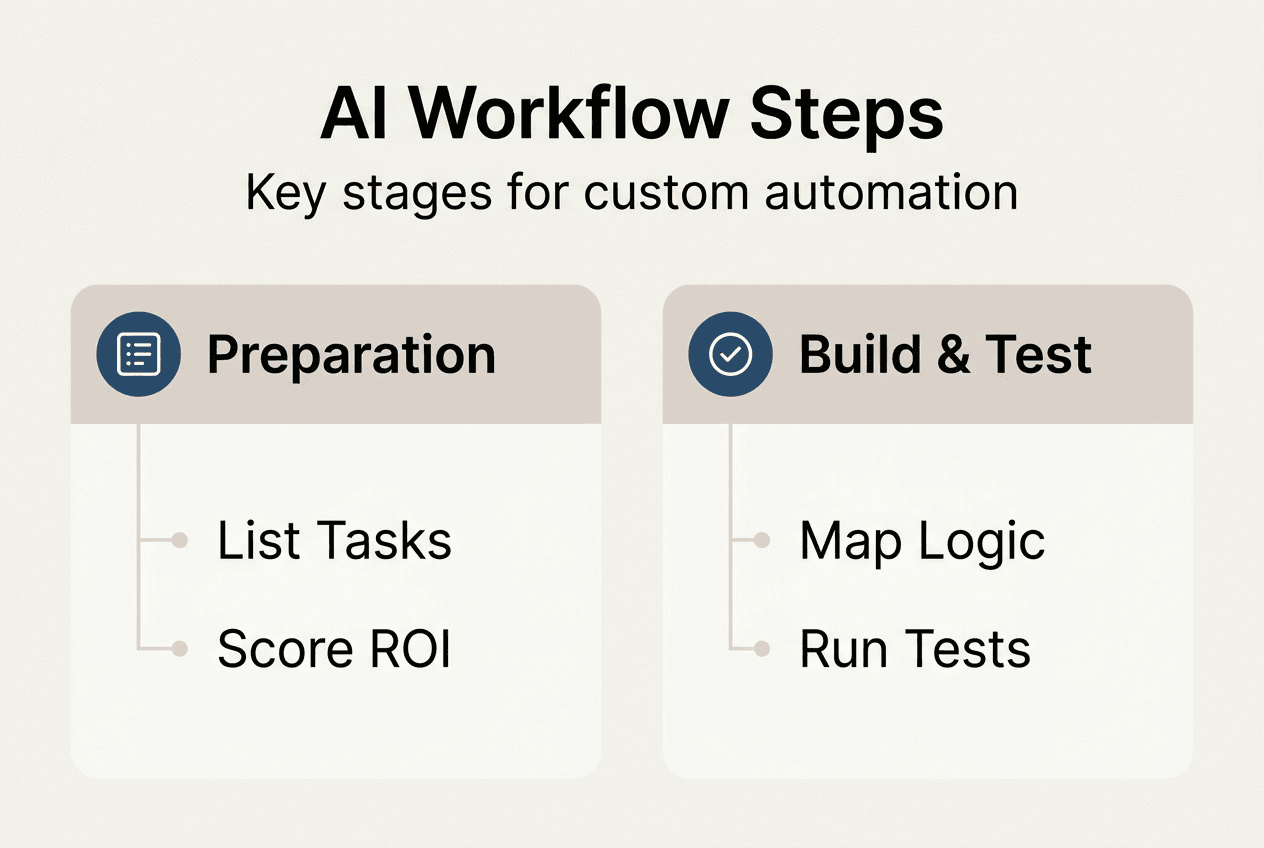
Start by listing every repetitive task your team handles. Look for activities that happen daily or weekly and consume significant time. Common candidates include data entry, appointment scheduling, customer follow-ups, report generation, and quality checks. Don’t filter yet. Capture everything.
Next, prioritize using the Automation ROI Score. This formula multiplies frequency by minutes by risk to identify high-impact automation targets. A task done 50 times per week that takes 15 minutes and has moderate error risk scores much higher than a monthly task that takes an hour. Calculate scores for your top 10 tasks to see where automation delivers maximum value.
Automation ROI Score Calculation:
| Task | Weekly Frequency | Minutes per Task | Risk Factor | Total Score |
|---|---|---|---|---|
| Email follow-ups | 40 | 10 | 2 | 800 |
| Data entry | 25 | 20 | 3 | 1500 |
| Appointment reminders | 30 | 5 | 1 | 150 |
| Report generation | 5 | 60 | 2 | 600 |
Understanding AI workflow architecture helps you build systems that are secure and scalable. Private AI architecture includes four layers: infrastructure for compute and storage, model serving to run AI engines, application services that handle business logic, and client integration that connects to your existing tools. This layered approach keeps sensitive data private while enabling powerful automation.

Hardware requirements are surprisingly modest. You don’t need expensive servers or cloud contracts to run effective AI workflows. A standard business laptop with sufficient disk space and Docker can host private AI systems that process data locally. This setup gives you control over sensitive information while keeping costs low. For businesses ready to scale, our guide to centralized AI intelligence shows how to coordinate multiple AI agents efficiently.
Plan your AI agent’s core instructions carefully before building anything. The most common mistake is instruction bloat, where you try to cover every possible scenario upfront. Instead, focus on three elements: the agent’s purpose, its personality or tone, and key decision rules. Keep instructions under 200 words initially. You can refine based on real-world performance.
Pro Tip: Start with one high-ROI task rather than trying to automate everything at once. Build that workflow, test it thoroughly, and learn from the experience. Then tackle the next task. This iterative approach builds expertise and confidence while delivering quick wins.
Gather the tools you’ll need. Most AI workflows require a workflow automation platform, access to AI models, and integrations with your existing systems like CRM, email, or calendars. Many platforms offer free tiers perfect for testing. Our automation ROI measurement resources help you track results from day one.
Executing your custom AI solution workflow: step-by-step implementation
With preparation complete, you’re ready to build your first AI workflow. Follow these steps to create an automation that actually works in production, not just in theory.
Step 1: Design concise AI instructions. Your AI agent needs clear guidance on its role, tone, and key decisions. Write instructions that cover purpose, personality, and critical rules in under 200 words. Instruction bloat degrades AI agent performance and makes updates difficult. Be ruthless about what you include.
Step 2: Externalize details to knowledge bases. Don’t embed product catalogs, pricing tables, or policy documents directly in instructions. Store this information in separate files or databases that your AI agent can reference. This keeps instructions focused and makes updates simple. When prices change, you update one file instead of rewriting agent instructions.
Step 3: Use positive targets, not negative constraints. Tell your AI what to do, not what to avoid. Negative constraints cause AI agents to be less helpful by focusing on restrictions rather than goals. Instead of “Don’t be rude,” say “Respond professionally and courteously.” This subtle shift improves performance dramatically.
Step 4: Build the workflow logic. Map out triggers, conditions, and actions. A customer inquiry triggers the workflow. The AI analyzes the question, checks relevant knowledge bases, and drafts a response. A human reviews before sending, or the system sends automatically for simple queries. Define each step clearly.
Step 5: Test with real scenarios. Run your workflow with actual customer emails, scheduling requests, or data inputs. Watch how the AI handles edge cases and unexpected inputs. Does it ask clarifying questions when information is missing? Does it escalate appropriately? Testing reveals gaps in your instructions and logic.
Step 6: Refine based on results. Review AI outputs daily in the first week. Look for patterns in errors or missed opportunities. Adjust instructions, add knowledge base entries, or modify workflow logic. Most workflows need 3 to 5 iterations before they run smoothly without constant oversight.
Pro Tip: Keep a feedback log where team members note every time the AI does something unexpected. Review this log weekly to identify instruction improvements. Small tweaks based on real usage compound into major performance gains.
Common pitfalls to avoid:
- Overcomplicating initial instructions with every possible scenario
- Failing to test with real data before going live
- Not defining clear escalation paths for complex cases
- Skipping human review loops in the early stages
- Trying to automate tasks that genuinely require human judgment
Instruction quality comparison:
| Poor Instruction | Strong Instruction |
|---|---|
| Don’t be unprofessional or rude to customers | Respond to customers with a friendly, professional tone |
| Answer questions but don’t make promises about features | Provide accurate answers based on the knowledge base |
| Don’t send emails without checking everything | Draft responses and flag for review if confidence is below 90% |
Implementation gets easier with practice. Your first workflow might take a week to build and refine. Your fifth might take a day. The skills you develop solving one automation problem transfer directly to the next. Our AI automations service can accelerate this learning curve if you want expert guidance, and our post on how to boost efficiency with AI automation covers additional implementation strategies.
Verifying and optimizing your AI workflow for lasting impact
Building the workflow is just the beginning. Measuring results, fixing issues, and continuously improving determine whether your automation delivers lasting value or fades into irrelevance.
Track time savings quantitatively from day one. Before automation, measure how long tasks take and how often they occur. After implementation, measure again. The difference is your ROI. An AI workflow saved a 12-person agency 40 hours per week by automating quality assurance, reporting, and customer communications. Your results depend on which tasks you automate and how well you optimize.
Automated reminders dramatically improve customer retention and reduce no-shows. Businesses lose significant revenue when customers forget appointments or fail to complete purchases. Automated reminders and rebooking recover 60 to 70% of revenue lost to no-shows. Set up workflows that send timely reminders, offer easy rescheduling, and follow up after missed appointments. This single automation can transform cash flow.
Review workflow data weekly to identify bottlenecks or errors. Most platforms provide logs showing every workflow execution, including successes, failures, and processing times. Look for patterns. Does the AI struggle with certain types of requests? Do failures cluster around specific times or conditions? This data guides your optimization efforts.
Key metrics to monitor:
- Task completion rate: percentage of workflows that finish without errors
- Processing time: how long each workflow takes from trigger to completion
- Human intervention rate: how often staff must step in to fix or complete tasks
- Accuracy: percentage of AI outputs that meet quality standards without revision
- User satisfaction: feedback from customers or team members interacting with the system
Weekly time savings by task type:
| Task Category | Hours Saved per Week | Revenue Impact |
|---|---|---|
| Customer follow-ups | 12 | Improved retention |
| Data entry and reporting | 15 | Reduced errors |
| Appointment scheduling | 8 | Better utilization |
| Quality assurance | 5 | Consistent standards |
Iterate based on user feedback and system performance metrics. Your team members and customers will tell you what’s working and what’s not. Listen carefully. A workflow that saves time but frustrates users won’t stick. Make adjustments that balance efficiency with experience.
Successful case studies prove the potential. Beyond the 40-hour weekly savings mentioned earlier, businesses use AI workflows to automate invoice processing, content creation, customer onboarding, and inventory management. The common thread is identifying high-frequency, time-consuming tasks and building reliable automation around them. Our analysis of AI automation impact 2026 shows this trend accelerating across industries.
Set up regular optimization reviews. Block 30 minutes monthly to review workflow performance, test new features, and explore additional automation opportunities. AI technology evolves rapidly. New models and capabilities emerge that can enhance your existing workflows or enable new ones. Staying current ensures you maximize value over time.
Discover SimplyAI’s custom AI automations for your business
You now have the framework to build effective AI workflows. But implementation takes time, technical expertise, and ongoing optimization. That’s where SimplyAI comes in.
We design and implement custom AI automations tailored to your specific business needs. Our team handles the technical complexity while you focus on running your business. We start by analyzing your workflows, identifying high-ROI automation opportunities, and building solutions that integrate seamlessly with your existing systems.

Our AI agents handle customer inquiries, schedule appointments, process data, and execute complex workflows 24/7. We build agents that match your brand voice, follow your business rules, and escalate appropriately when human judgment is needed. The result is faster response times, fewer errors, and teams freed to focus on strategic work.
Get started quickly with expert support and proven solutions. Visit SimplyAI to explore how custom AI workflows can transform your operations in 2026.
Frequently asked questions
What is a custom AI solution workflow?
A custom AI solution workflow automates repetitive business tasks using AI tailored to your specific needs and processes. It combines AI models, business logic, and integrations with your existing tools to execute tasks without human intervention. Implementation involves assessing which tasks to automate, designing AI behavior and instructions, and iteratively refining the system based on real-world performance. Common challenges include instruction bloat that degrades performance and setting unrealistic expectations for what AI can handle independently.
How do I identify which tasks to automate with AI workflows?
Focus on repetitive tasks with high frequency and significant time spent per occurrence. Look for activities your team does daily or weekly that follow predictable patterns. Prioritize tasks with an Automation ROI Score based on frequency, duration, and risk of errors. Tasks that score highest deliver maximum efficiency gains and should be automated first. Consider both time savings and error reduction when evaluating candidates.
What hardware is needed to run private AI workflows securely?
A standard business laptop with sufficient disk space and Docker can host private AI workflows effectively. Private AI systems can run on modest hardware like a 4-year-old laptop with about 100GB disk space. This enables local data processing, which enhances security and privacy by keeping sensitive information on your own infrastructure. You don’t need expensive cloud services or dedicated servers to get started.
How can I avoid common pitfalls like instruction bloat in AI workflows?
Keep AI instructions concise and focused on the agent’s key purpose, personality, and critical decision rules. Be ruthless about instructions and include only core behavioral guidance while avoiding negative constraints. Externalize detailed information like product catalogs or policies to separate knowledge bases that the AI can reference. Set positive goals that tell the AI what to do rather than what to avoid. This approach maintains performance and makes updates manageable.
What benefits can I expect after implementing a custom AI workflow?
Expect significant weekly time savings and freedom from repetitive tasks that drain productivity. An AI workflow saved a 12-person agency 40 hours weekly and automated quality assurance and reporting tasks completely. You’ll see improved operational efficiency, more consistent on-time delivery, and better customer experience. Revenue recovery is another major benefit. Automated reminders can recover 60 to 70% of lost revenue from no-shows by engaging customers proactively.